I mean, untarring a downloaded tarball from somewhere and running `make` is just as dangerous, right? Only there you can make sure the checksum matches, but people skip that step all the time.
You should basically compile everything yourself and read all the source code yourself if you want to be secure. Good luck with that though. (Escpecially with things like, I don't know, browsers.)
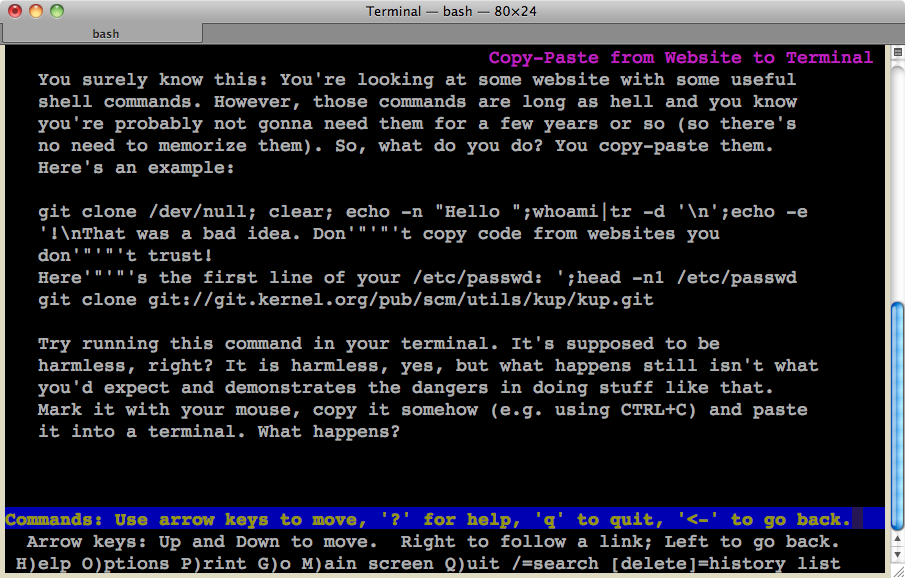
Don't Copy-Paste from Website to Terminal
131–140 of 272 posts
Re: Don't Copy-Paste from Website to Terminal
#132Why would I bother copying and pasting the code to my clipboard when common industry practice now is just to invoke the output of curl directly? ruby -e "$(curl -fsSL https://raw.github.com/mxcl/homebrew/go )
Really sad, especially when something like Chef-client is also installed in a similar fashion [0], one would expect these guys to know better: sudo true && curl -L https://www.opscode.com/chef/install.sh | sudo bash [0] http://wiki.opscode.com/display/chef/Installing+Omnibus+Chef...
Don't get me wrong, i'm no fan of the practice especially sans tls, but this seems like a poor example.
Re: Don't Copy-Paste from Website to Terminal
#133Why would I bother copying and pasting the code to my clipboard when common industry practice now is just to invoke the output of curl directly? ruby -e "$(curl -fsSL https://raw.github.com/mxcl/homebrew/go )
I dislike this whole trend. How about we start thinking in terms of leaving the user's default environment, and system, alone, and “installing” software into nice sandboxed areas where we can easily enable/disable it, or delete it with a simple “rm -rf directory/path”
I'm bugged with programs I don't use anymore which start on system boot. Even after removing some programs, they just don't go away.
A sandboxed environment would be really good to use!
Re: Don't Copy-Paste from Website to Terminal
#134Earlier quoted context omitted.
OCR would work ;-)
So, I know that was a joke, but now I'm trying to figure out why it's a bad idea. The browser can generate some kind of map for which region of the screen is what font. If you don't have to guess the font, OCR should be easy and reliable. That takes care of the hidden text issue. But second, it means one would be able to copy/paste text that is in an image (because some web designers hate you).
You could do a per character visibility test at the time of copying, but sometimes you want to copy test that is not currently visible on your screen.
For example doing Ctrl+A in a document.
Re: Don't Copy-Paste from Website to Terminal
#135Re: Don't Copy-Paste from Website to Terminal
#136IMO this is the browsers fault. One expects to copy the selected (visible) text. But kinda hard to fix ...
Doesn't the browser have a model of which text is visible? It has to. So why not copy out of that model?
Re: Don't Copy-Paste from Website to Terminal
#137Well... yeah, but even without hidden text, what are you going to do after you clone the repository? Probably `make` or `ruby something.rb` or any number of other commands that can run arbitrary code. If you don't trust someone, you shouldn't be trying to clone their git repo in the first place.
You can trust "Person A", the owner of the repository, while not trusting "Person B", who wrote the "git clone (Person A's repository)" on their site.
Re: Don't Copy-Paste from Website to Terminal
#138Earlier quoted context omitted.
Really sad, especially when something like Chef-client is also installed in a similar fashion [0], one would expect these guys to know better: sudo true && curl -L https://www.opscode.com/chef/install.sh | sudo bash [0] http://wiki.opscode.com/display/chef/Installing+Omnibus+Chef...
So you're trusting opscode to provide the primary centralized control system of your entire server ecosystem but you're concerned they might be embedding something malicious in their installer shell script? Don't get me wrong, i'm no fan of the practice especially sans tls, but this seems like a poor example.
Re: Don't Copy-Paste from Website to Terminal
#139Re: Don't Copy-Paste from Website to Terminal
#140I suspect that the only way to effectively mitigate this is in the terminal application, by displaying a confirmation with the pasted text before accepting any multi-line[1] paste. For example here: https://code.google.com/p/iterm2/issues/detail?id=594 [1] There may be other dangerous characters besides newlines, e.g. escape sequences. I'm not sure if it's possible to make an exhaustive list for something like Bash.…
It's still possible to circumvent this by creating a one-liner using semicolons. Just grab a code like [2] and append `; rm -rf` to the selection. If the original selection was a one-liner, it'll still be. [2] http://stackoverflow.com/a/4777746/