Earlier quoted context omitted.
Actually this numbering scheme conveys to me, intuitively, that changes are more gradual and hints at backwards compatibility. If there's no major/minor/patch semantics I just assume versions are small incremental additions. I could be wrong but that's what the browser versioning schemes have instilled in me.
> and hints at backwards compatibility. To me it communicates no commitment to backwards compatibility, i.e. no semantic versioning. This might be enforceable if one is Apple, but doesn't sound good for an open-source platform.
Gnome 40
101–110 of 244 posts
Re: Gnome 40
#102Earlier quoted context omitted.
No. I actually went to GNOME's IRC network the other day to talk to them about gtkfilechooser's multiple problems. Yours, and then the lack of text input for typing or pasting file paths. https://gitlab.gnome.org/GNOME/gtk/-/issues/938 . They said they have no one assigned to gtkfilechooser bugs and none will be addressed. I was able to download the debian source for a couple gtk applications (ie, gedit/pluma) and ap…
And now everybody should look for a text from 2003 written by jwz mentioning the "Cascade of Attention-Deficit Teenagers model" and slowly read it again, then think how much time passed since.
Re: Gnome 40
#103Re: Gnome 40
#104Earlier quoted context omitted.
It’s been like this since Gnome 3 was released in 2011. This is why I've always been confused by people who say Linux has an “ugly, inconsistent, unprofessional” UI - to me this looks and feels better than Windows.
Gnome is just one part of the story - the gnome shell was always decent looking and had good themes. But the apps and the ecosystem really is ugly, messy and inconsistent. For example if you look at the controls you got with GTK out of the box in GTK3 era (when I last tried to build something with it) I remember huge paddings, unintuitive UX (the GTK file picker is the worst I've used) and poor layout controls. Go ch…
Re: Gnome 40
#105https://jayfax.neocities.org/mediocrity/gnome-has-no-thumbna...
Re: Gnome 40
#106It's interesting to see the focus on these desktop management features. I've been a long time macOS user and have never found "Launchpad", "Mission Control / Expose", or "multiple Desktops" useful in practice. I just use multiple monitors with everything I need on them in the same workspace. Do you guys actually use these features? I find the contextual switching distracting.
In MacOS, other desktops feel like a background thing that it's easy to forget (kind of like having a process running on another `screen` session).
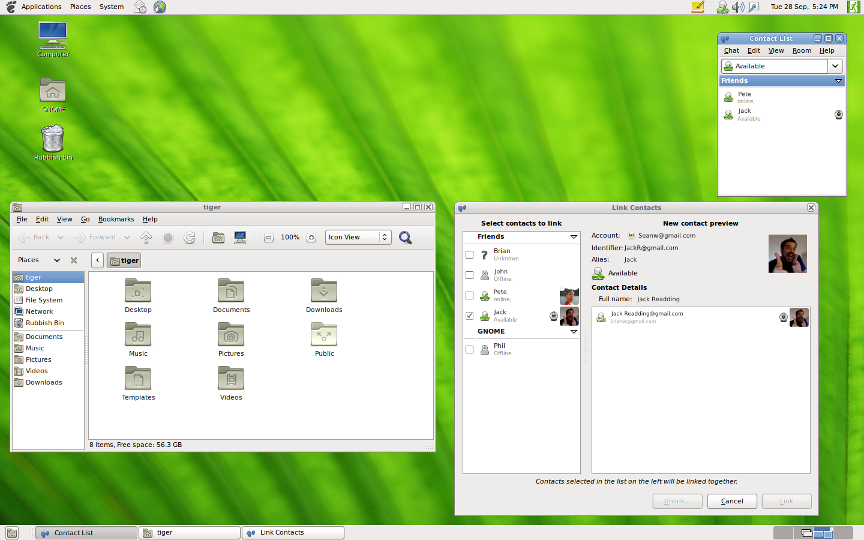
1: The widget in the bottom right corner https://help.gnome.org/misc/release-notes/2.32/figures/gnome...
Re: Gnome 40
#107I dunno which it is, but the typography/font rendering is just jarring in these screens. I imagine there's a bunch of hacking you can do to make it look crisper/aligned but no way I'd have time for that.
Cantarell. Some consider that font a crime against humanity, on the level of MS Comic Sans or Papyrus. Canonical, could you please make the Ubuntu font really-SIL-free, so that Cantarell can be taken behind the barn and shot? Pretty please?
Re: Gnome 40
#108The open windows don't even have visible taskbar buttons in the fancy presentation it shows at the top I have no idea how you can productively work that way The reason for getting 4K monitors is not to have less stuff that can make you productive visible KDE 3.5 was the top of OSS desktops, in my opinion
I think I'm missing something... Where is the taskbar? Do you need that "overview" animation each time you want to bring an application to focus? And where are the menus of the focused application?
However, often we don't need to do that because GNOME encourages us to spread our windows over several workspaces. The animation for switching workspaces is practically instantaneous.
Re: Gnome 40
#109Have they fixed the file chooser yet? Specifically, I want to be able to click around on directories to choose where to save a file, type the file name, then press enter. This should save the file, not filter the directory listing. Also, I don’t want it to default to overwriting some file I saved last week.
Probably they will deprecate it soon, and gnome apps will randomly open a file for you. Just to be easier to use. A file picker dialog can confuse the user.
Re: Gnome 40
#110What's with the change over to these '40' style naming schemes? I absolutely detest it if it's not done for a real reason. Firstly, without major versions it does not single anything to end users and end developers. Is '40' still mostly compatible with the gnome 3.x.x API? Is there a major divergence between 40 and 41? Is 41 and 40 a total rewrite? 3.x.x works and there's a reason why. It conveys a lot of information…