Don't miss the badass cover to the original Emacs Manual for ITS:
http://www.gnu.org/software/emacs/its-cover.png

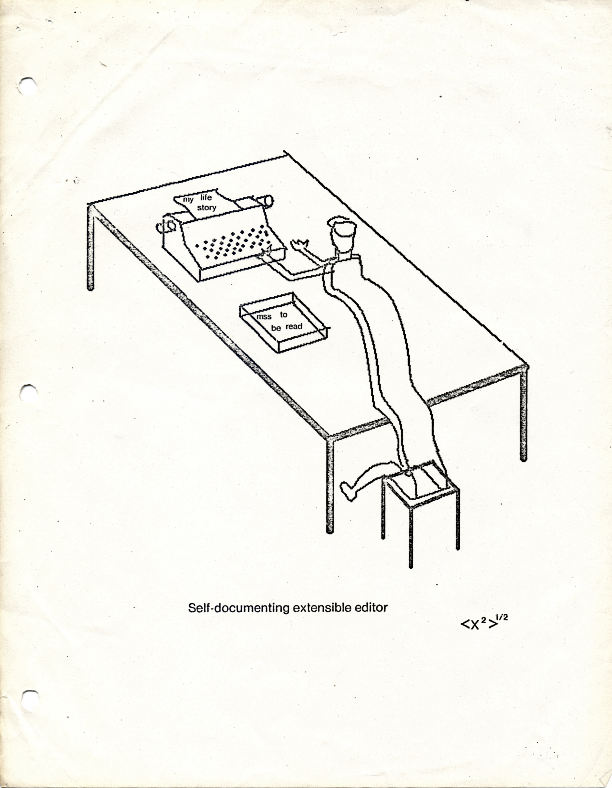
Or rms's only cartoon (It's ... funny?):
http://www.gnu.org/software/emacs/self-doc-extensible-editor...
11–20 of 26 posts
http://www.gnu.org/software/emacs/its-cover.png
Or rms's only cartoon (It's ... funny?):
http://www.gnu.org/software/emacs/self-doc-extensible-editor...
Hmm... from the News on the new release: Mac OS X is no longer supported via Carbon. Use the NeXTSTEP port, described above. A NeXTSTEP port, a.k.a. "Cocoa support". And, meanwhile, the Carbon Emacs guy reports that he doesn't plan to release an Emacs 23 version of Carbon Emacs in 2009: http://groups.google.com/group/carbon-emacs/browse_thread/th... Perhaps the time has finally come to try rolling my own emacs from s…
./configure --with-ns && make install
"Emacs.app" will be in the "nextstep" folder
As for switching from the Carbon version to this version, I'm not sure what kind of changes your configuration will be need. I know that Option is Meta in this version whereas in Carbon Cmd is Meta.
Hmm... from the News on the new release: Mac OS X is no longer supported via Carbon. Use the NeXTSTEP port, described above. A NeXTSTEP port, a.k.a. "Cocoa support". And, meanwhile, the Carbon Emacs guy reports that he doesn't plan to release an Emacs 23 version of Carbon Emacs in 2009: http://groups.google.com/group/carbon-emacs/browse_thread/th... Perhaps the time has finally come to try rolling my own emacs from s…
Earlier quoted context omitted.
Aquamacs mate.
If you've actually ever used Emacs before don't use Aquamacs, or else you're going to end up reconfiguring everything all over again because the Aquamacs developers don't seem to like to stick the standards and conventions. Random things are wonky and way out of place. Like their variation of how buffers and frames work is ridiculous. Build the Nextstep version, Emacs.app and things will actually work the way they're…
So, executive summary: if you just want Emacs like its always been stay away from Aquamacs. If you want Emacs that makes a little more sense according to Mac OS interface guidelines, give Aquamacs a shot.
Scrolling (redisplay?) slow for anyone else? When using a small font (ProggyTiny) it gets really slow.
Earlier quoted context omitted.
If you've actually ever used Emacs before don't use Aquamacs, or else you're going to end up reconfiguring everything all over again because the Aquamacs developers don't seem to like to stick the standards and conventions. Random things are wonky and way out of place. Like their variation of how buffers and frames work is ridiculous. Build the Nextstep version, Emacs.app and things will actually work the way they're…
On the other hand, if you are used to Mac OS X applications and want to try Emacs, Aquamacs is a good place to start. Mapping the Command key to traditional Mac shortcuts (Cmd-C copy, Cmd-V paste, etc.) while leaving the Control key for Emacs commands and Option as Meta, works really well for me. I have used Emacs off and on over a couple decades now, but have also been using Macs for about as long, so changing Comma…
  Cmd-C/X/V - copy/cut/paste
  Cmd-Z - undo
  Cmd-N - new frame (or "window" in Mac terminology)
  Cmd-W - close frame (if not last frame)
  Cmd-` - switch between frames
  Cmd-H - hide application
  Cmd-M - minimize frame
  Cmd-, - customize
  Cmd-K - kill buffer
  Cmd-T - bring up Mac font chooser
  Cmd-S - save
  Cmd-A - select all
  Cmd-O - bring up Mac file chooser
I think, for new users, the way Emacs does frames/windows/buffers is worth discovering instead of what Aquamacs does by default.
Hmm... from the News on the new release: Mac OS X is no longer supported via Carbon. Use the NeXTSTEP port, described above. A NeXTSTEP port, a.k.a. "Cocoa support". And, meanwhile, the Carbon Emacs guy reports that he doesn't plan to release an Emacs 23 version of Carbon Emacs in 2009: http://groups.google.com/group/carbon-emacs/browse_thread/th... Perhaps the time has finally come to try rolling my own emacs from s…
How to get the command key back as the meta key on Mac OS X: (setq ns-command-modifier 'meta)
Hmm... from the News on the new release: Mac OS X is no longer supported via Carbon. Use the NeXTSTEP port, described above. A NeXTSTEP port, a.k.a. "Cocoa support". And, meanwhile, the Carbon Emacs guy reports that he doesn't plan to release an Emacs 23 version of Carbon Emacs in 2009: http://groups.google.com/group/carbon-emacs/browse_thread/th... Perhaps the time has finally come to try rolling my own emacs from s…
So. How well does Emacs work on a Mac these days? I'm strongly considering switching from Linux to Mac, because I'm sick of running Windows in VMWare just so I can use Microsoft's Office suite. I couldn't live without Emacs though.
I had to do very few Mac specific things in my .emacs to make it comfortable.
And on top of that it supports basic mac interaction, so if you drag a file into the window it'll open it in a new buffer, you can associate files with it so that double clicking them works, etc.