Thanks for the article! I have a beefy M5 Pro and I'm eagerly looking around for ways to use local models (specifically Gemma4 & Qwen3.6). This is an excellent thing to do. Especially that LLMs excel at batching thus you can index multiple photos and videos in parallel for no performance penalty.
I have been contemplating a M5 Pro MBP, but for the life for me I wasn't able to find benchmarks for real-world models, do you happen to know how many tokens per second roughly you get with MoE models like Qwen 3.6 35B/A3B or Gemma 4 26B?
Indexing a year of video locally on a 2021 MacBook with Gemma4-31B (50GB swap)
11–20 of 151 posts
Re: Indexing a year of video locally on a 2021 MacBook with Gemma4-31B (50GB swap)
#12Thanks for the article! I have a beefy M5 Pro and I'm eagerly looking around for ways to use local models (specifically Gemma4 & Qwen3.6). This is an excellent thing to do. Especially that LLMs excel at batching thus you can index multiple photos and videos in parallel for no performance penalty.
Re: Indexing a year of video locally on a 2021 MacBook with Gemma4-31B (50GB swap)
#13Awesome. Say, this is very comprehensive. I was vaguely aware of all these pieces existing (except for running a facial recognition database at home o_o), but it's really neat to put them all together like that.
Thanks! I was honestly casually trying it out on the side with Claude's help. And I was actually pleasantly surprised to see how good the result was. Still blows my mind I can do all this from my 2021 MBP. I'll try to do a post once I have the next steps working (helping with planning and editing videos with Davinci Resolve).
Great job. Long live the M1 Max!
Re: Indexing a year of video locally on a 2021 MacBook with Gemma4-31B (50GB swap)
#14> The skill is open at ~/.claude/skills/video-index/. If you're working on something similar (indexing personal archives, getting a local model to do real archival work, building agents that drive editing tools), I'd be glad to compare notes. When your Claude wrote this post they might not have selected the right URL to share, unless your home folder is exposed. Care to share the skill files?
Oops! My bad. Fixing it now. And yeah, I can share the Skill file. Give me 5 mins.
PS - I just put this together in the last few mins, removed my personal files and references. So it's not tested properly, please let me know if any issues.
It's still an early hack, but I have thousands of still images as well from my camera which I've not processed and I need to do the same analysis for those.
So I'll continue working on it, but happy to receive any PRs if anyone finds any use for it.
I'm tired of having a backlog of thousands of images and videos, leaving it for later.
Re: Indexing a year of video locally on a 2021 MacBook with Gemma4-31B (50GB swap)
#151. What is the search index?
2. The "description.md" example has things like "faces -> cluster_id". Is this from Davinci Resolve's face index? Things like faces+names and locations are really important with photo collections, but general LLMs don't handle them so well.
Re: Indexing a year of video locally on a 2021 MacBook with Gemma4-31B (50GB swap)
#16It's not tested properly after I genericized it. Will try to go through it properly and add more updates.
Two big things on my TODO: 1) Make use of this indexing and using Claude's help, make video editing faster with Davinci Resolve (now that I have a good index of all the content)
2) I currently did this for videos, but I want to add more things to this for my thousands of still images of my camera - need to make sense of them. So I'll be working on this as well.
Re: Indexing a year of video locally on a 2021 MacBook with Gemma4-31B (50GB swap)
#17Thanks for the article! I have a beefy M5 Pro and I'm eagerly looking around for ways to use local models (specifically Gemma4 & Qwen3.6). This is an excellent thing to do. Especially that LLMs excel at batching thus you can index multiple photos and videos in parallel for no performance penalty.
I have been contemplating a M5 Pro MBP, but for the life for me I wasn't able to find benchmarks for real-world models, do you happen to know how many tokens per second roughly you get with MoE models like Qwen 3.6 35B/A3B or Gemma 4 26B?
Bear in mind that ttft on MLX is much much faster on M5 Pro as compared to M4 Pro.
Also bear in mind that those figures are with NO optimizations whatsoever: no MCP, no DFlash. I am waiting for both to be released for the Qwen models.
Re: Indexing a year of video locally on a 2021 MacBook with Gemma4-31B (50GB swap)
#18Thanks for the article! I have a beefy M5 Pro and I'm eagerly looking around for ways to use local models (specifically Gemma4 & Qwen3.6). This is an excellent thing to do. Especially that LLMs excel at batching thus you can index multiple photos and videos in parallel for no performance penalty.
Unsloth Studio [0] is what I recommend these days, open source alternative to the more widely known LM Studio, and also built by the people who make good quantizations of released models. With MTP support not merged in you should get 2x token generation speed with no accuracy difference. They also have MLX quants if you scroll down a bit, which is a format specifically for macOS' Metal GPU acceleration but that's not…
Re: Indexing a year of video locally on a 2021 MacBook with Gemma4-31B (50GB swap)
#19Re: Indexing a year of video locally on a 2021 MacBook with Gemma4-31B (50GB swap)
#20Two questions: 1. What is the search index? 2. The "description.md" example has things like "faces -> cluster_id". Is this from Davinci Resolve's face index? Things like faces+names and locations are really important with photo collections, but general LLMs don't handle them so well.
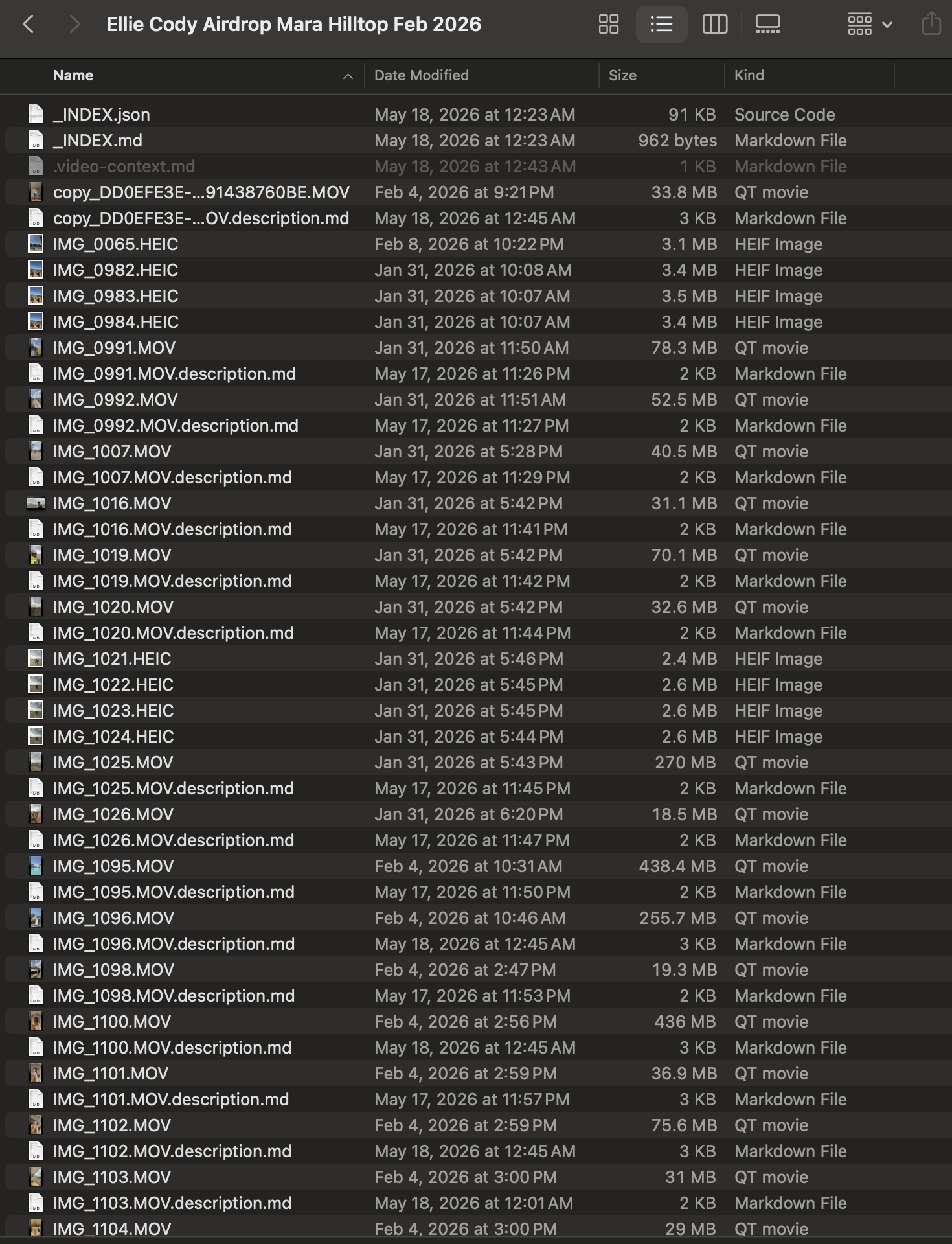
Something which I can query later - Like when brainstorming with Claude "I wanna make some videos of the Luxury rooms in the lodge" and it knows what all videos could help here (going through the files).
There's also a folder root level files that aggregates the text descriptions to make it easier to find.
I've just attached an image in the blog showing an example - https://blog.simbastack.com/_media/gvcycx2n.png
2) No - nothing from DaVinci Resolve. Framedex is a standalone pipeline. Resolve isn't involved.
Faces come from insightface (the open-source buffalo_l pack - RetinaFace for detection), running locally on CPU. For each clip it detects faces in the sampled frames, embeds them, and writes rows to ~/.framedex/faces.db.
Tbh, this part I know it's building up in my local DB but I haven't tested how good is it. Will check them out properly soon.
But yeah, on your broader point that's why framedex deliberately does not ask the LLM to handle faces or locations.
----
Faces → insightface / ArcFace embeddings. Deterministic, comparable across clips. The vision model only contributes a rough people_count; it never tries to identify anyone.
Locations → EXIF GPS via exiftool, reverse-geocoded through Nominatim/OpenStreetMap. Hard metadata, not a guess.
The LLM only does what it's good at: scene description, mood, shot type, keywords, keep/review/cull rating (this last part is also debatable though).