Live data from Hacker News

Show HN: FluidCAD – Parametric CAD with JavaScript

fluidcad.io

31–40 of 44 posts

Re: Show HN: FluidCAD – Parametric CAD with JavaScript

#31
This is nice, though I think the use of indices instead of stable identifiers might bite in complex models that undergo changes. I've been toying with the idea that you could specify a point (2D or 3D in some coordinate system, depending on context) and pick the face/edge/point closest to that as the identifier. The only other alternative I see is diffing old and new, and trying to match the outputs of each operation geometrically, but that would produce extra output that needs to be persisted...

E.g. when splitting a face in OnShape, I might have to redo a whole bunch of operations later because the identifiers change, but I'm often surprised how good it is at matching up faces after a single operation. Like modifying a sketch, then having to add the new face to an extrusion, but then it magically does the right thing for chamfers and drafts.
Re: Show HN: FluidCAD – Parametric CAD with JavaScript

#32

This is nice, though I think the use of indices instead of stable identifiers might bite in complex models that undergo changes. I've been toying with the idea that you could specify a point (2D or 3D in some coordinate system, depending on context) and pick the face/edge/point closest to that as the identifier. The only other alternative I see is diffing old and new, and trying to match the outputs of each operation…

Yep, topological naming solving is a hard problem to solve. It took FreeCAD many years to get it to work correctly. That's why I went with indices for this version. You can also use filters like extrusion.endFaces(face().arc()) to get only arc edges.

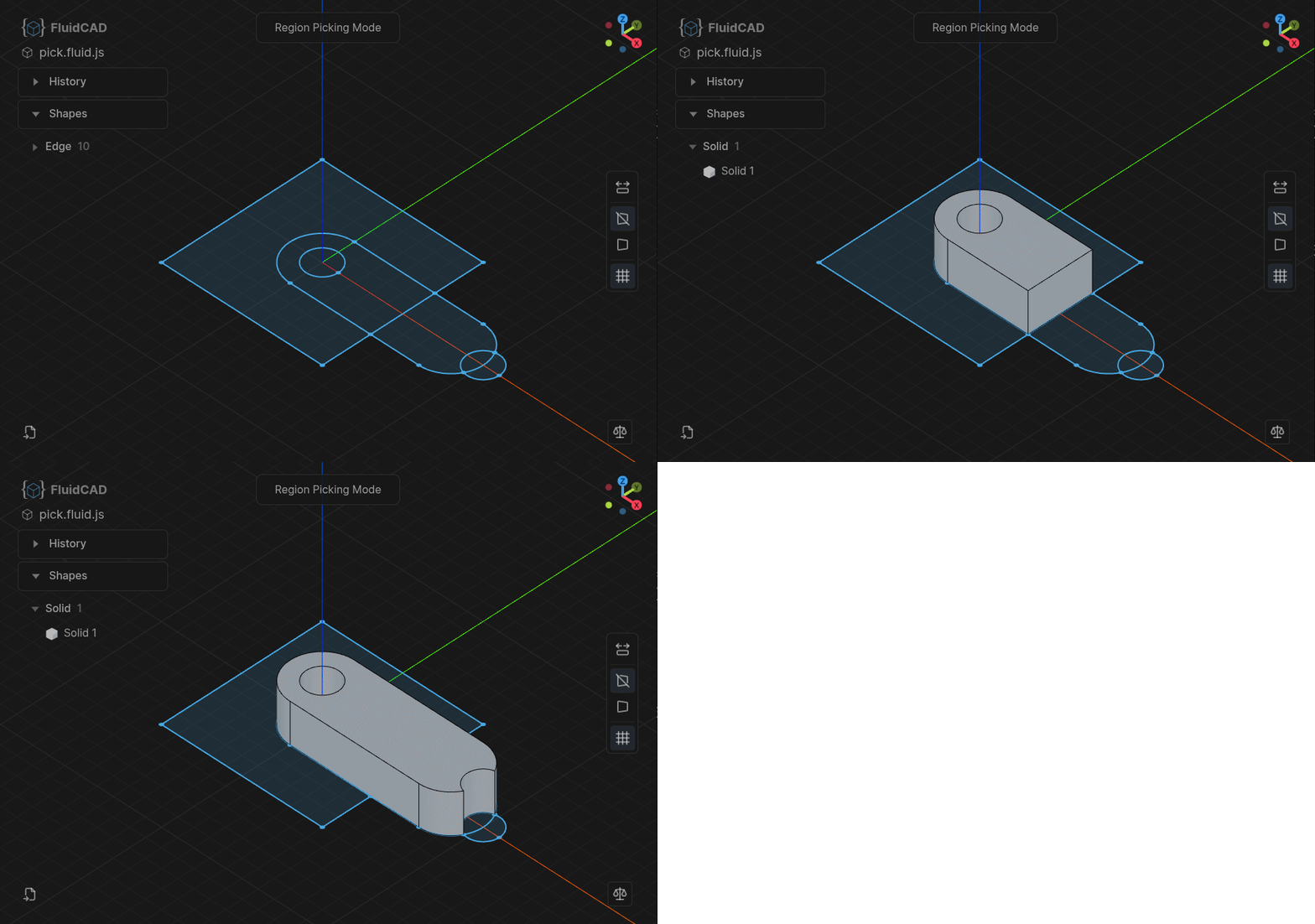
Regarding the picking; that's exactly the region picking feature in this screenshot: https://fluidcad.io/img/region-extrude.gif

When the user click on a region we insert a 2D point, then the extrude feature will find the nearest face. I have experimented with adding this picking logic to selections too select().pick() which will probably be merged in future releases.

Re: Show HN: FluidCAD – Parametric CAD with JavaScript

#34

[flagged]

I have added a caching mechanism; objects are computed only when their parameters change. When an object change, all objects after it will recompute. This will probably need to be revised in future with more efficient algorithm to find what objects are affected by the change and recompute only those.

Re: Show HN: FluidCAD – Parametric CAD with JavaScript

#38
post #28

Earlier quoted context omitted.

Looking at this now, I like the approach! It's also fundamentally different from mine (maybe phew). The mouse driven approach makes it far more approachable, while mine is deliberately code driven and perhaps more quirky (step export is a code function for example). Also looking at your API, I used a vector type a lot for defining things like planes, so where you have sketch("xz",func) mines a little more like plane(…

It seems from what you are describing your software is more like (replicad)[ https://github.com/sgenoud/replicad ] The user can create planes with plane() command e.g plane("xy") or plane("xy", { offset: 10 }); but I have added some shortcuts for common planes ( https://fluidcad.io/docs/guides/sketching/introduction#sketc... ) you can also sketch on faces sketch(extrusion.endFace(), ...) which will extract the plane…

Inspired by yes, it was one of the ones I tried. I like your approach to selection eg endFace, intuitive selection is definitely one of the trickier parts of a code based approach.

Re: Show HN: FluidCAD – Parametric CAD with JavaScript

#39
post #32

This is nice, though I think the use of indices instead of stable identifiers might bite in complex models that undergo changes. I've been toying with the idea that you could specify a point (2D or 3D in some coordinate system, depending on context) and pick the face/edge/point closest to that as the identifier. The only other alternative I see is diffing old and new, and trying to match the outputs of each operation…

Yep, topological naming solving is a hard problem to solve. It took FreeCAD many years to get it to work correctly. That's why I went with indices for this version. You can also use filters like extrusion.endFaces(face().arc()) to get only arc edges. Regarding the picking; that's exactly the region picking feature in this screenshot: https://fluidcad.io/img/region-extrude.gif When the user click on a region we insert…

Nice!
Post reply on HN