Live data from Hacker News

Show HN: My 1-year project, iPad IDE with GitHub and Heroku integration

worqshop.com

31–40 of 75 posts

Re: Show HN: My 1-year project, iPad IDE with GitHub and Heroku integration

#31
post #24

How does it compares with textastic http://itunes.apple.com/us/app/textastic-code-editor/id38357...

At a glance (not having used either one yet) it looks like textastic has more connectivity options (sftp, WebDAV) but lacks deployment integration like this one has. IOW it seems like you could use worqshop for the complete life cycle of your app from dev to deployment.

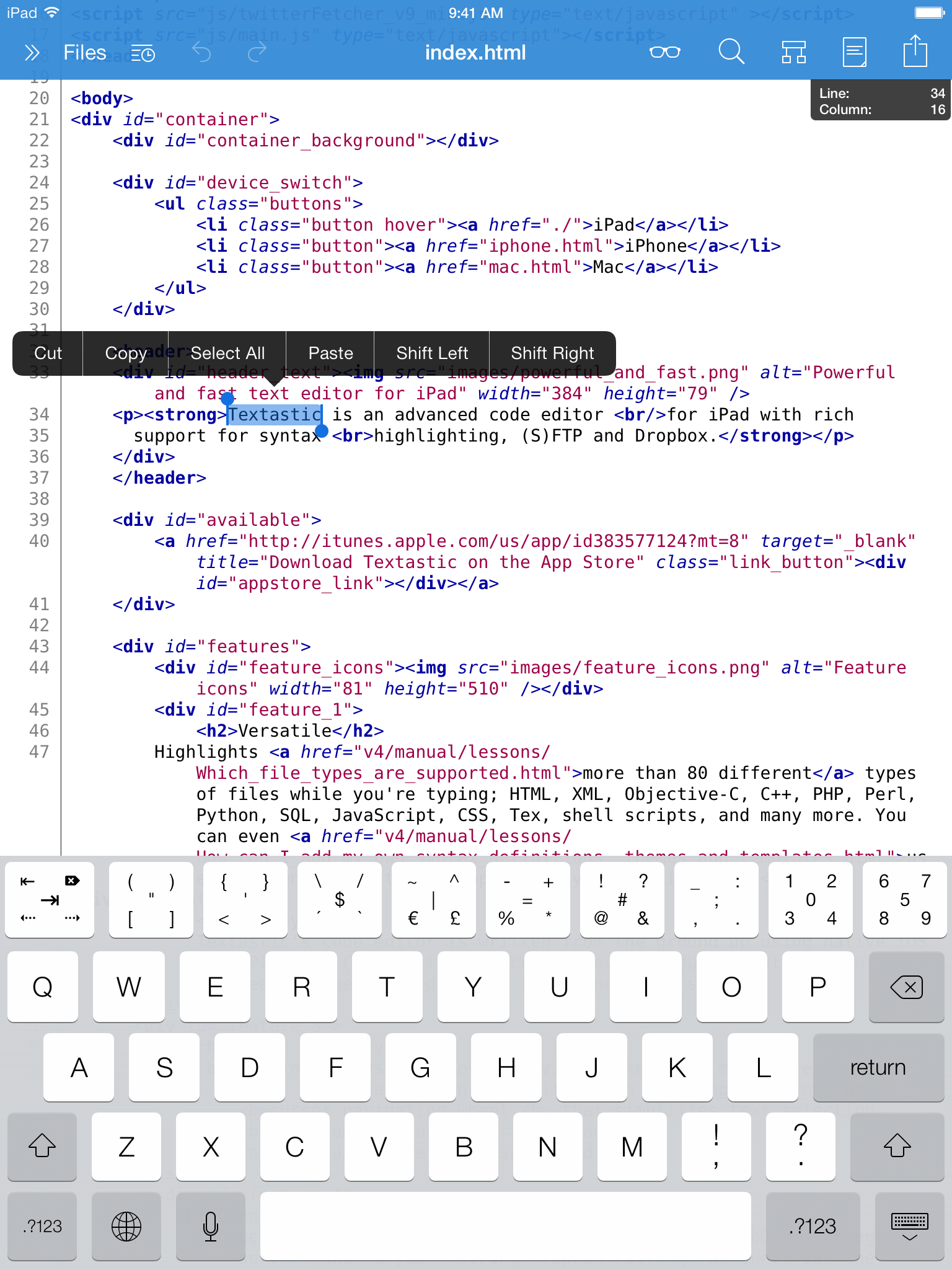
In my opinion the biggest win Textastic has is the amazing key helpers atop of the keyboard: http://www.textasticapp.com/images/screenshot2.png. This is the killer feature of Textastic in my opinion.
Re: Show HN: My 1-year project, iPad IDE with GitHub and Heroku integration

#35

nice, looks handy. any plans for coffeescript support?

With CoffeeScript, this might be the tool to get me off a laptop and using tablets for real work.

All our code is already on GitHub, with hosted Continuous Integration (Travis for the Open Source parts), and Heroku for deployment of the new Node.js projects. So migrating to a tool like this ought to be feasible.

Re: Show HN: My 1-year project, iPad IDE with GitHub and Heroku integration

#37

The one thing I always miss on iPad editors is VIM Binding support: Especially on the iPad, where making selections with your finger is a pain, it is so relieving to be able to do a shift-b, 5j to select a piece of code, copy it and paste it somewhere else. On normal computers, the existence of a trackpad or mouse makes navigating code possible. But on the iPad, I see a huge need for the kind of editing that VIM (or…

As someone who uses both iPads and vim a lot, I'd disagree with this.

The iPad screen should be ideal for making selections with your fingers directly because the keyboard and the code are so close together.

It currently doesn't feel ideal, I agree, because text boxes are designed to prevent you shooting yourself in the foot when you touch the screen by accident. A power-user tool could remove a lot of the safety and slowness from making selections.

Re: Show HN: My 1-year project, iPad IDE with GitHub and Heroku integration

#40

The one thing I always miss on iPad editors is VIM Binding support: Especially on the iPad, where making selections with your finger is a pain, it is so relieving to be able to do a shift-b, 5j to select a piece of code, copy it and paste it somewhere else. On normal computers, the existence of a trackpad or mouse makes navigating code possible. But on the iPad, I see a huge need for the kind of editing that VIM (or…

I have this vision of a custom Vim keyboard for the iPad where every key is labelled according to its function. Hence, in normal mode, 'd' would be labelled 'del' and 't' would be 'goto'. Then press 'd' once, and 'd' is labelled 'line' and 't' is labelled 'upto'. In insert mode, it would display characters, of course.

A keyboard like this (for Vim or otherwise) could seriously change the game for text editing.

Have a special 'keyboard' for entering snippets. Have one for navigation. Have one for actions. Combine them like you combine Vim motions/actions.

Now that is something I look forward to. Maybe that Logitech keyboard with little screens on each character was indeed a glimpse into a better future.

Post reply on HN