Live data from Hacker News

Show HN: A native macOS client for Hacker News, built with SwiftUI

github.com

111–120 of 192 posts

Re: Show HN: A native macOS client for Hacker News, built with SwiftUI

#111

Nice work. I think you should remove Claude as a contributor to your repo. It probably weaseled its way in on its own, I think it’s the developers job to talk about the tools they used not the tool company.

Thank you! I beleive that is from having claude debug some issues with the build pipeline on it’s own.

It does like to weasel in if you let it write a commit message, and even after rewriting and force pushing, it seems to hang around on the GitHub contributor list.
Re: Show HN: A native macOS client for Hacker News, built with SwiftUI

#112

Earlier quoted context omitted.

Swift is de-facto cross-platform without limitations. SwiftUI is something entirely different and not trying to be cross-platform at all.

Ok, so Swift-the-language is cross-platform, but can't actually do cross-platform UIs. So great for CLIs, bad for everything needing a GUI?

To some degree. There are _many_ SwiftUI clones that support other frameworks such as Gtk and Windows, with varying states of maturity. Or you can share the business logic and write the UI natively in Swift.

Re: Show HN: A native macOS client for Hacker News, built with SwiftUI

#113

Earlier quoted context omitted.

As someone who used to use native RSS readers a ton back in the day, the limited web browser usually isn't a problem for just reading a few articles. I like native apps for things, even link aggregators, because my I want to use my OS's native window management and app management instead of just shoving everything into a browser tab, of which I already have too many. Because then it's just CMD+Tab to Chrome, and then…

If you want to use your native window manager, why don’t you just disable tabs and have every link open a new browser window?

On MacOS that would be an amazing poor UX, cmd+tab works on Applications, not specific windows.

Switching windows within the same Application is cmd+` ; and only works on the current workspace.

Re: Show HN: A native macOS client for Hacker News, built with SwiftUI

#114
post #110

Earlier quoted context omitted.

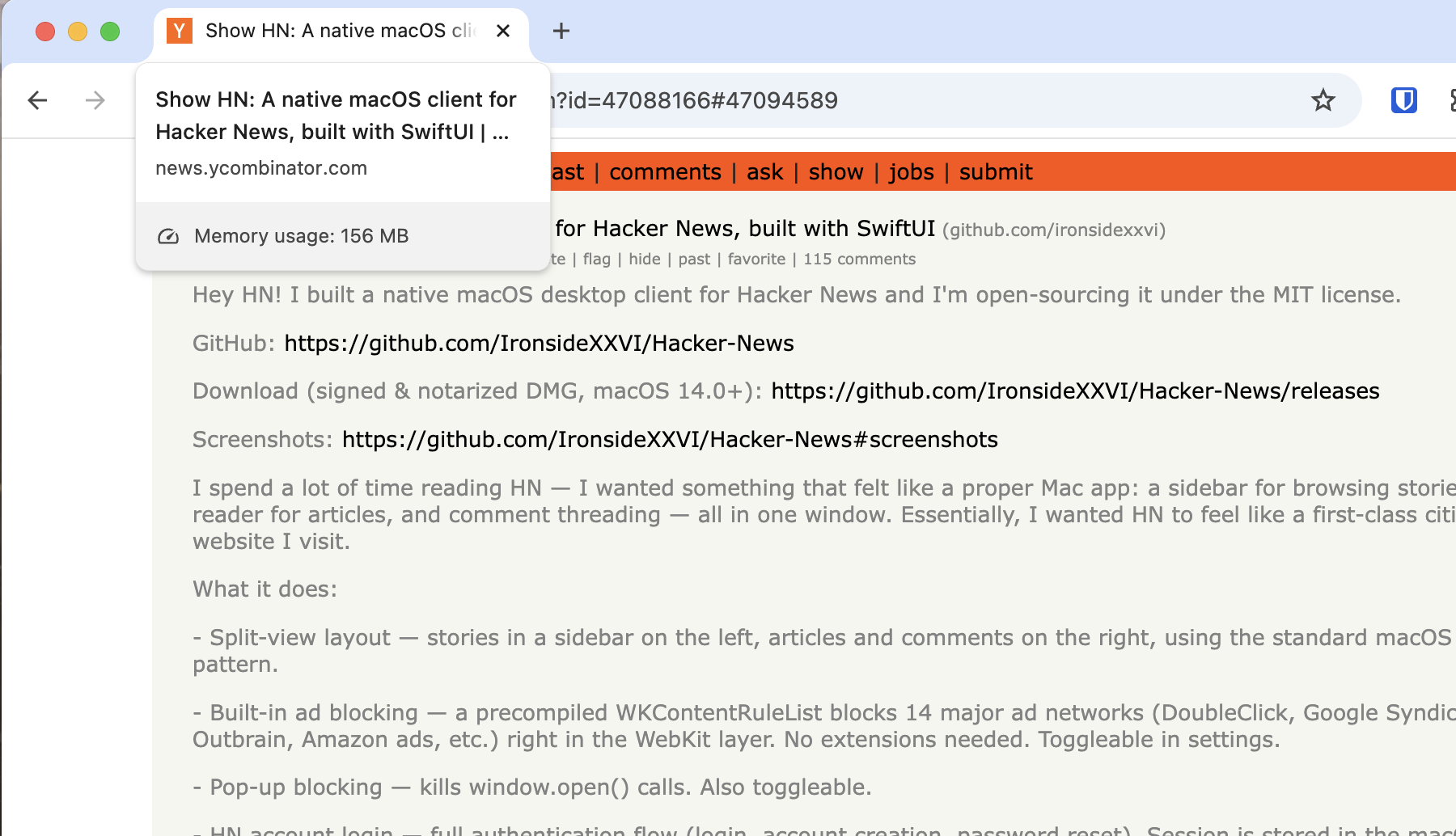
> But I still appreciate youre building a NATIVE app that's using around 85MB of working memory (according to my Activity Monotor), and not some Electron thing. Well, assuming you have a browser open anyway, you're still using more memory than if HN is running in another browser tab. In fact, if every website that you use frequently had its own native app, that would use more memory than you're using now.

You should probably check that. A fresh hackernews tab of this thread uses 150MiB (Sandboxed) in Chrome for me, and HN is a pretty lean site by all accounts.

In Firefox (Linux) it says 34MB.

Re: Show HN: A native macOS client for Hacker News, built with SwiftUI

#115
post #110

Earlier quoted context omitted.

You should probably check that. A fresh hackernews tab of this thread uses 150MiB (Sandboxed) in Chrome for me, and HN is a pretty lean site by all accounts.

In Firefox (Linux) it says 34MB.

Weird, I promise I am not lying.

https://sh.drk.sc/~dijit/hn_tab_mem_usage.png

Re: Show HN: A native macOS client for Hacker News, built with SwiftUI

#116
post #115

Earlier quoted context omitted.

In Firefox (Linux) it says 34MB.

Weird, I promise I am not lying. https://sh.drk.sc/~dijit/hn_tab_mem_usage.png

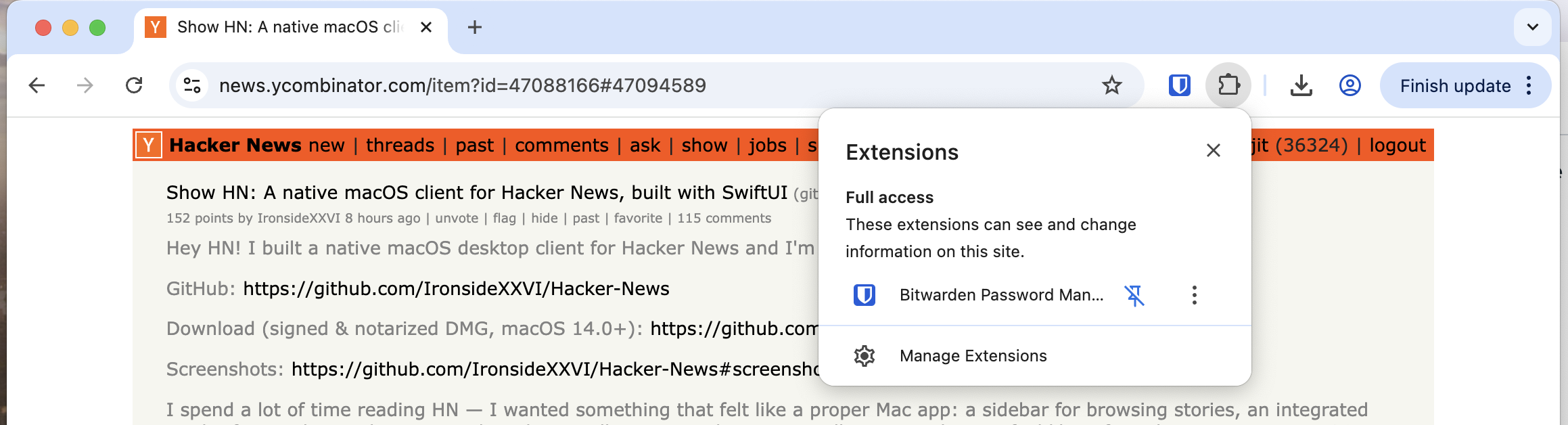
Do you use browser extensions? Perhaps they are adding to the memory usage (?)

Re: Show HN: A native macOS client for Hacker News, built with SwiftUI

#117
post #115

Earlier quoted context omitted.

Weird, I promise I am not lying. https://sh.drk.sc/~dijit/hn_tab_mem_usage.png

Do you use browser extensions? Perhaps they are adding to the memory usage (?)

Only bitwarden (no ad-blockers or anything).

https://sh.drk.sc/~dijit/hn_tab_extensions.png

EDIT: Looking into it, seems the tab memory viewer is only looking at the page and does not take extensions into account; if the extensions inject JS/Style to the page then it counts, and Bitwarden seems to only add a small amount of JS to find password dialogues. It uses memory, but outside of the tab viewer.

Re: Show HN: A native macOS client for Hacker News, built with SwiftUI

#118
post #36

Congrats and building and releasing something. I guess for reading things like this, I'm just a browser kind-of guy. But I still appreciate youre building a NATIVE app that's using around 85MB of working memory (according to my Activity Monotor), and not some Electron thing. I'm probably just a anti-app guy, but I tried it out. First thing I went to do was CMD-F to search for some strings in the comments section. Act…

> and not some Electron thing

Ironically, most of the app is a webview. The comments just have some additional CSS styling slapped on top of the hackernews website. So you still have an entire HackerNews site loaded at all times when reading comments anyway.

Re: Show HN: A native macOS client for Hacker News, built with SwiftUI

#119

Nice work. I think you should remove Claude as a contributor to your repo. It probably weaseled its way in on its own, I think it’s the developers job to talk about the tools they used not the tool company.

> I think you should remove Claude as a contributor to your repo

I actually really appreciate it when people do not hide their use of Claude code in their repo like that. It's usually the first thing I check on Show HN posts these days.

Re: Show HN: A native macOS client for Hacker News, built with SwiftUI

#120
post #73

Earlier quoted context omitted.

Hey there! What OS version are you using? This app should run on Mac os 14 and later.

> I use a 2017 iMac running MacOS 13.7.8

The absolute newest Mac in my home is a 2017 and is limited to 13.7.8, also. It's still a beast, and I've never really thought of it as "old." The macOS (and iOS) ecosystem, though, is brutal on us "slightly older" hardware owners. We get dropped so quickly, by both Apple and by 3rd party developers.

Windows developers would think nothing of keeping their applications running on Windows 7 (16 years old) or Windows 10 (11 years old), but my 9 year old Mac is somehow ancient.

Post reply on HN