Live data from Hacker News

Ask HN: Dark mode for HN please?

news.ycombinator.com

411–420 of 469 posts

Re: Ask HN: Dark mode for HN please?

#411

Earlier quoted context omitted.

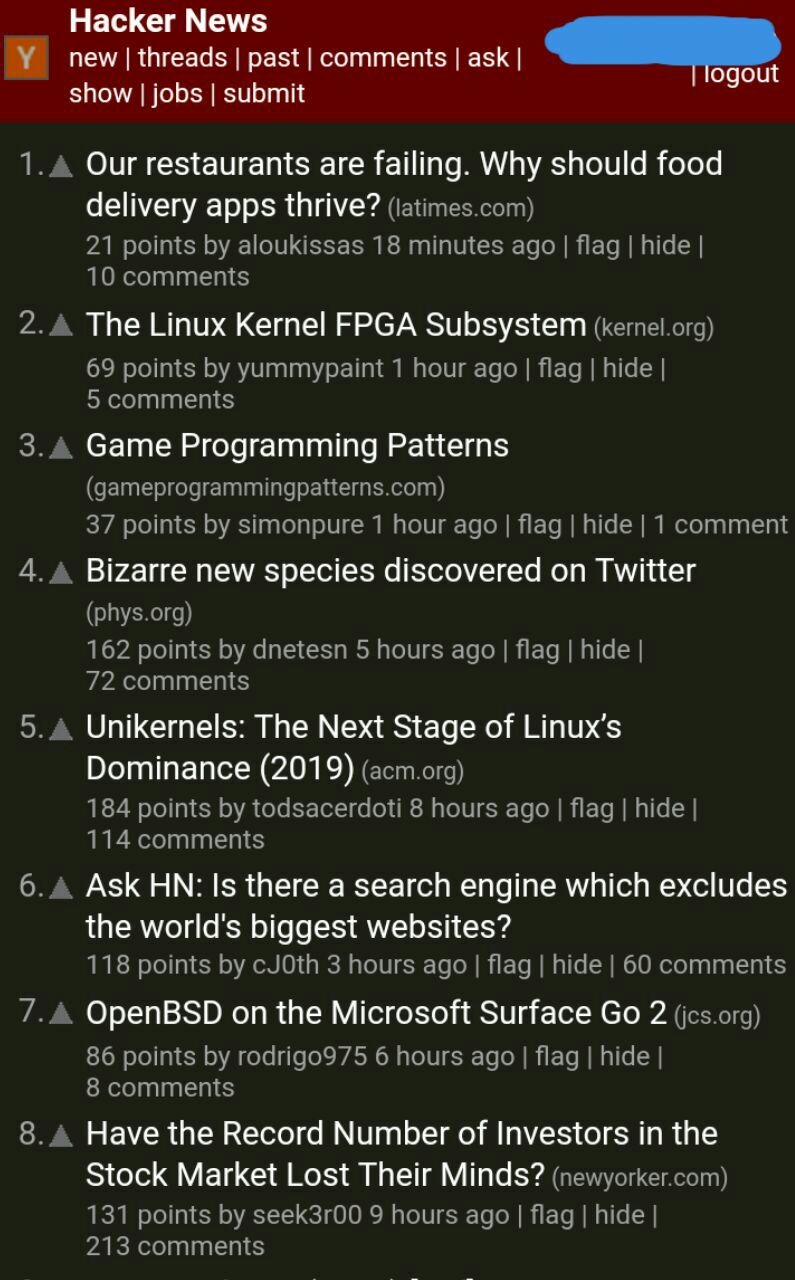
There are many ways for end users to force dark mode without any change on HN. "invert page colors" chrome extension, for example, does a nice job. Not ideal, but good enough. I second the other commenter, don't do anything. Or get someone really good to help you!

There's a very solid Stylus theme for HN that I've been using as long as I can remember. Until just now I had honestly forgotten that this wasn't what HN looked like by default. https://userstyles.org/styles/113994/hacker-news-dark

Upvote and downvote buttons become invisible.

Edit: my fault. I have too many dark mode addons/stylesheets enabled at the same time.
Re: Ask HN: Dark mode for HN please?

#412
One thing I have not seen posted here in snippets is the inclusion of:

:root { color-scheme: light dark; }

This allows the browser to change the default rendering of controls like inputs and textareas. It also sets up many defaults nicely. Please use this in conjunction with @media (prefers-color-scheme: dark).

Reference: https://webkit.org/blog/8840/dark-mode-support-in-webkit/ https://drafts.csswg.org/css-color-adjust-1/#color-scheme-pr...

Re: Ask HN: Dark mode for HN please?

#413
post #32

Ok, you guys, this isn't the first time we've heard this request ( https://hn.algolia.com/?dateRange=all&page=0&prefix=true&que... ). I'm willing to do it (edit: not to change the default! just to add the option). It's just that any CSS issue that goes more than a quarter-inch deep is outside both my expertise and my interest. We can add CSS to https://news.ycombinator.com/news.css for prefers-color-scheme: dark , bu…

Please, for God's sake, don't screw it up. I can keep up with news on this site from a 15 kb/s shared satellite link when I'm out at sea. Except perhaps for the really big threads. I love the simple interface. It's text, it's simple, it's readable, and when I hit the spacebar, it scrolls down a page. No fancy fonts, no javascript, no nothing. I love HN for its simplicity and speed. Thanks for maintaining a good engin…

It even loads fast on my eReader web browser, which is quite rare these days.

Re: Ask HN: Dark mode for HN please?

#414
post #345

Earlier quoted context omitted.

Changing the monitor twice a day is quite a pain. Perhaps you're thinking of laptops and phones where this isn't a big deal, but external screens' brightness can't be controlled that way. And I'm not sure I'd want my main driver to adjust: at brightness levels where I can read HN without feeling like a vampire, I wouldn't be able to read some of the lower contrast syntax-highlit text in my terminal anymore.

Check out this comment: https://news.ycombinator.com/item?id=23199877 In short, yes, external monitors can be adjusted on the computer. As for the rest, it’s not as if you’re stuck with one choice of color scheme for your editors either.

That doesn't work for me, but I'm happy to learn of this. One day I'll buy a monitor that supports this and I can avoid the crappy menus :)

Re: Ask HN: Dark mode for HN please?

#415
post #257

Earlier quoted context omitted.

Yep, came here to suggest exactly this. Especially because then it works for all sites, not just HN. I can also second Dark Reader specifically; it's nicely tunable, supports per-site toggles, and lets you set a schedule to automatically toggle dark mode in the evening. I think my only complaint is that it might be the reason why my Firefox on Android gets really slow / hangs occasionally, although that might be unre…

you have more than a 100 tabs on android? what device? how do you even move between?

Yeah, the tab counter hit "∞" (>99 tabs) ages ago, but they're lazy-loaded so it's just a little slower and a lot more scrolling to get to older tabs. Moto G5 Plus (XT1687), 4 GB of RAM, crDroid 6.5 (Android 10) if it matters.

Re: Ask HN: Dark mode for HN please?

#417
post #99

Earlier quoted context omitted.

Please, for God's sake, don't screw it up. I can keep up with news on this site from a 15 kb/s shared satellite link when I'm out at sea. Except perhaps for the really big threads. I love the simple interface. It's text, it's simple, it's readable, and when I hit the spacebar, it scrolls down a page. No fancy fonts, no javascript, no nothing. I love HN for its simplicity and speed. Thanks for maintaining a good engin…

Well, if we want HN to follow best modern web practices, I recommend rewriting the whole thing with React/Node.js using TypeScript. Then, we can get a proper CSS framework in place like Material that will really allow us to get everything looking really good. I can design a cool looking loading screen that says "HN" while the JS is loading in the background.

Oh please, React is so yesteryear. With WebAssembly, we can rewrite the HN frontend in Rust! \o/

Re: Ask HN: Dark mode for HN please?

#418

Earlier quoted context omitted.

Please, for God's sake, don't screw it up. I can keep up with news on this site from a 15 kb/s shared satellite link when I'm out at sea. Except perhaps for the really big threads. I love the simple interface. It's text, it's simple, it's readable, and when I hit the spacebar, it scrolls down a page. No fancy fonts, no javascript, no nothing. I love HN for its simplicity and speed. Thanks for maintaining a good engin…

For the sake of simplicity, could we just serve up a subdomain darknews.ycombinator.com, same content, just different stylesheet?

Tagline: "Come to the dark site."

Re: Ask HN: Dark mode for HN please?

#419
post #317

Earlier quoted context omitted.

For me strong contrasts, especially on dark backgrounds, give me retina burns and eyestrain. I find pastel shades more comfortable. That said the grey text on white fad that happened a few years ago was a very silly idea. I guess everyone's mileages vary depending on their eyesight, my eye's are 53 years old now and aren't as spritely as they used to be.

It's all about your monitor settings. High contrast monitor - you prefer low contrast style. Low contrast monitor - you prefer high contrast style. This is something I don't like about VS Code. by being low contrast it means I have to turn up monitor contrast meaning everything else burns.

Sorry for asking but is there any reason why you don't just use a different color theme for VS Code?
Post reply on HN